
Reset Location
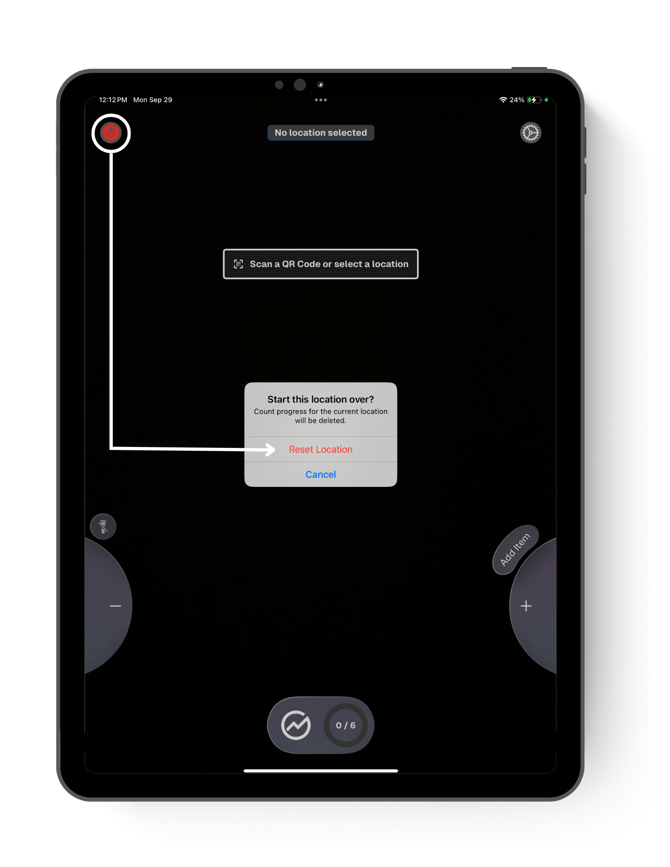
Reset the location if you notice counts or performance isn’t consistent.
Tap the red back arrow button at the upper left corner of your screen, then tap Reset Location to confirm.
It’s best to evaluate this right after checking in, as using the Reset Location will clear all counted items in that location.
Rescan vs. Delete
- If you need to re-do a specific counted location, tap Rescan on the Review Screen.
- If you need to stop all counts and start over, select Delete Job Data from the Location Menu Settings.
Pro Tip: if you need to pause mid-inventory, put the device to sleep and come back when you’re ready.
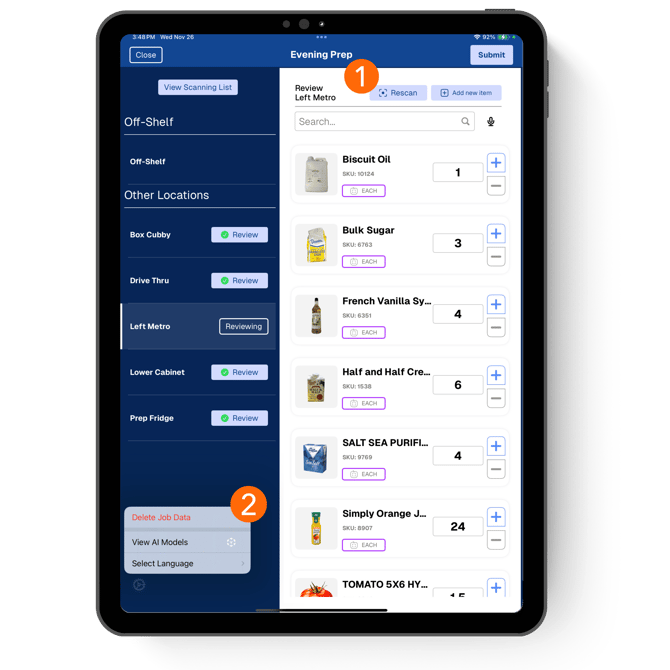
⚠️ Selecting Delete Job Data will delete all counts recorded for all locations.