
Counting Using Use-By Labels
Production Pans are counted using their use-by label. Before you scan, make sure your Prep Pans are stored following the Inventory Basics guidelines:
- Line up like product per row. Stacking different products on top is ok, but not behind.
- Push the products to the back edge of the shelf.
- Check your labels- if you can't read them, the app won't be able to either.
.jpg?width=670&height=572&name=PXL_20250723_142145242%20(1).jpg)
Scanning Process
- Get in close- orange bubbles will indicate you’re too far away. Green bubbles will display a count.
- The Pan Size button toggles between pre-established container sizes. Use this to select the correct size if different.
- Make corrections using the Paddles, Edit, and Add Item options.
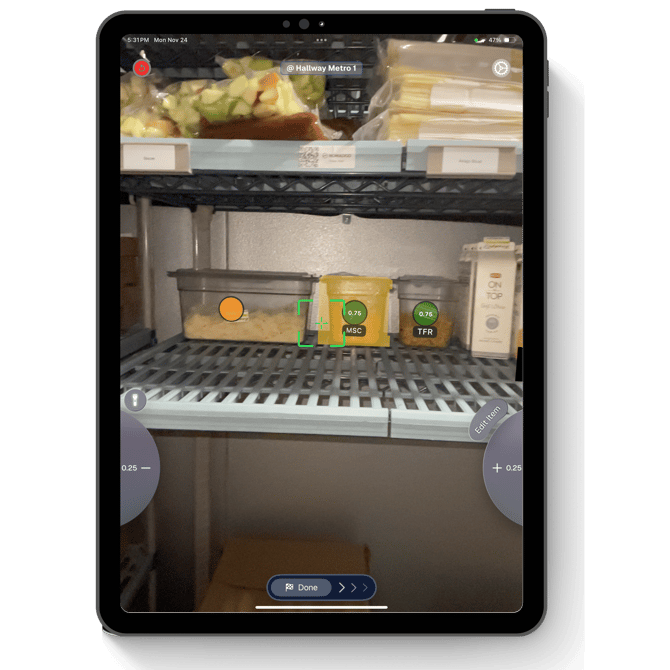
💡 Metal Pans register as one whole, while clear containers display fullness.